
Lincoln County Same-Day Arrest Window
Lincoln County publishes an official same-day source, though it is not a rolling counter labeled "last 24 hours." The Lincoln County Sheriff P2C Daily Bulletin works by date, not by hour. Pick the local calendar date. Then set the event type to (AR) Arrest. That filter matters. The same menu also lists TC for a citation or summons, LW for an incident, and TA for an accident. A broad filter mixes unlike events into one result.
What does the bulletin answer? Only which arrest events were posted for the date you picked. It cannot prove a person still sits in the Harven A. Crouse Detention Center. Someone may be processed, released, transferred, or awaiting publication. For a live custody answer, compare the event against the Sheriff's current Inmate Search, then turn to NC eCourts later for the court outcome.
The official bulletin page displays the date and event-type controls for this focused check.
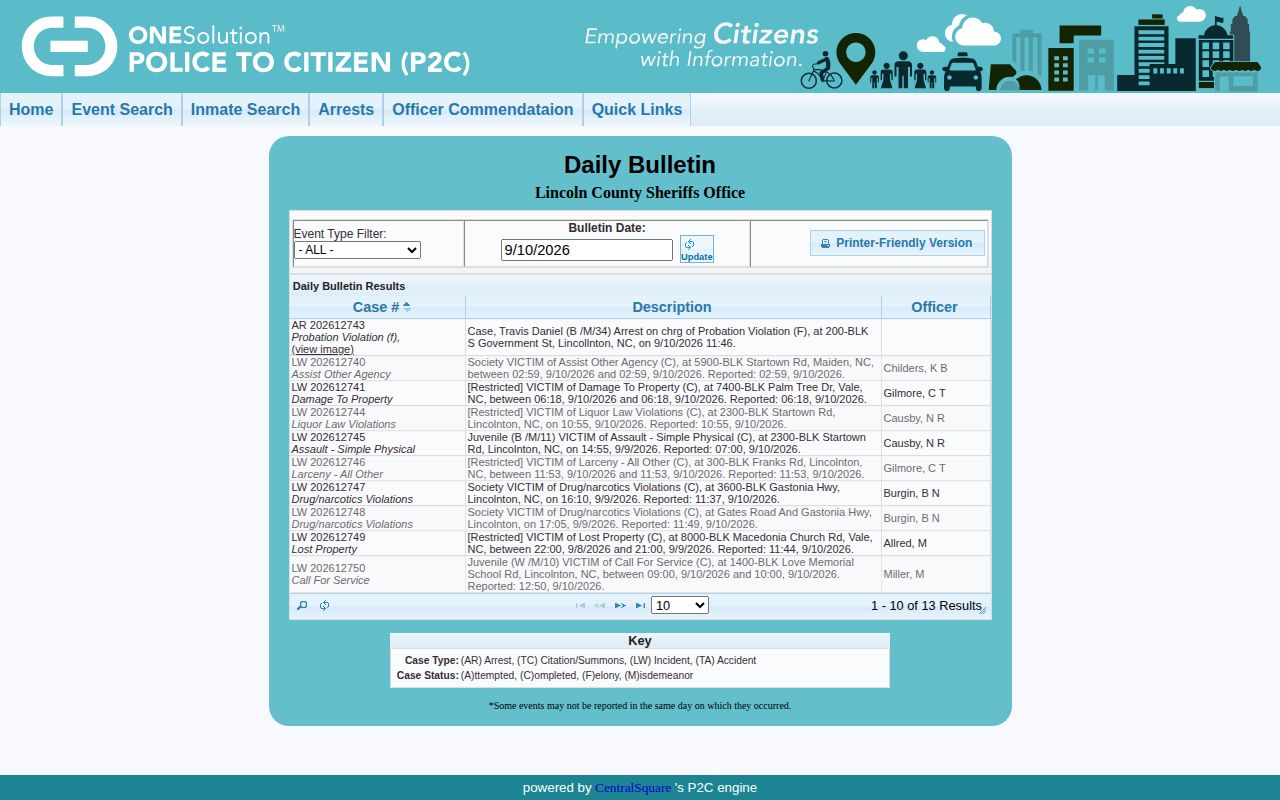
Both controls appear on the official search page. Choosing the date plus the AR event type keeps a same-day arrest search accurate.
Check Who Lincoln County Arrested Today
Start with the arrest-event source, then move to the custody source. Keeping those roles separate stops a bulletin entry from being mistaken for proof that someone is still jailed.
- Open the Sheriff P2C Daily Bulletin and set the date to the date the arrest may have occurred.
- Select (AR) Arrest, run the search, and use the page-size control if a busy date has more rows than the first screen displays.
- Compare the displayed case number, description, officer, and any available detail with the name and date you already know.
- Open the official Sheriff Inmate Search and compare the name, inmate ID, booking date, custody status, and status date.
- If the event is too new to appear or the two official views differ, call the Sheriff's published number or file a focused request through Lincoln County NextRequest.
Write down when each page was checked. The roster uses Eastern time fields. A booking timestamp is not always the arrest time or the later custody-status time. A shared name proves little by itself, so match the inmate ID, event date, reporting agency, and other details before concluding anything.
Note: A P2C case number identifies the police event and may not be the later NC court case number.
What Lincoln County's Bulletin Shows
The P2C result grid is thinner than the current jail roster. Some details sit in the result or its linked event view. Other fields live only in the page's searchable data layer. Read the labels as the agency presents them. Never treat a blank field as a negative finding.
| Bulletin field | What it means |
|---|---|
| Selected date | The local date being queried, not a guaranteed rolling 24-hour period. |
| Event type | AR isolates arrests from citations, incidents, and accidents. |
| Case number | The P2C event identifier, which may differ from a court case number. |
| Description or crime | The event or alleged offense label entered in the police system. |
| Officer | The officer field as published; it should not be expanded beyond the source label. |
| Name and location fields | Details that may be searchable, withheld, generalized, or shown in a linked record. |
A booking photograph is not a standard promise of the Daily Bulletin. Photos show up unevenly. The separate P2C arrest-detail pattern can include a photo placeholder, and the current Sheriff roster publishes an image when one exists. Some entries carry none at all. An absent photo usually means the agency did not publish one in that interface.
Lincoln County Roster Cross-Check
The current Sheriff Inmate Search is the stronger official source for present custody in Lincoln County. Its cards pack in plenty. Expect a displayed name, inmate ID, custody status, status date, booking date, reporting agency, physical descriptors, alleged charges, bond information, disposition fields, and a booking image when published. They differ from the bulletin's record view.
A "Type to Search" box is visible. Use it carefully. Compare the booked date with the custody-status date rather than reading either as the arrest time. One live response even paired an old-looking booked date with a later status date. Treat that as a reason to confirm the record with its custodian, not as a standard archive rule.
The Sheriff's current roster provides the card-based custody check. Run it after any bulletin search.
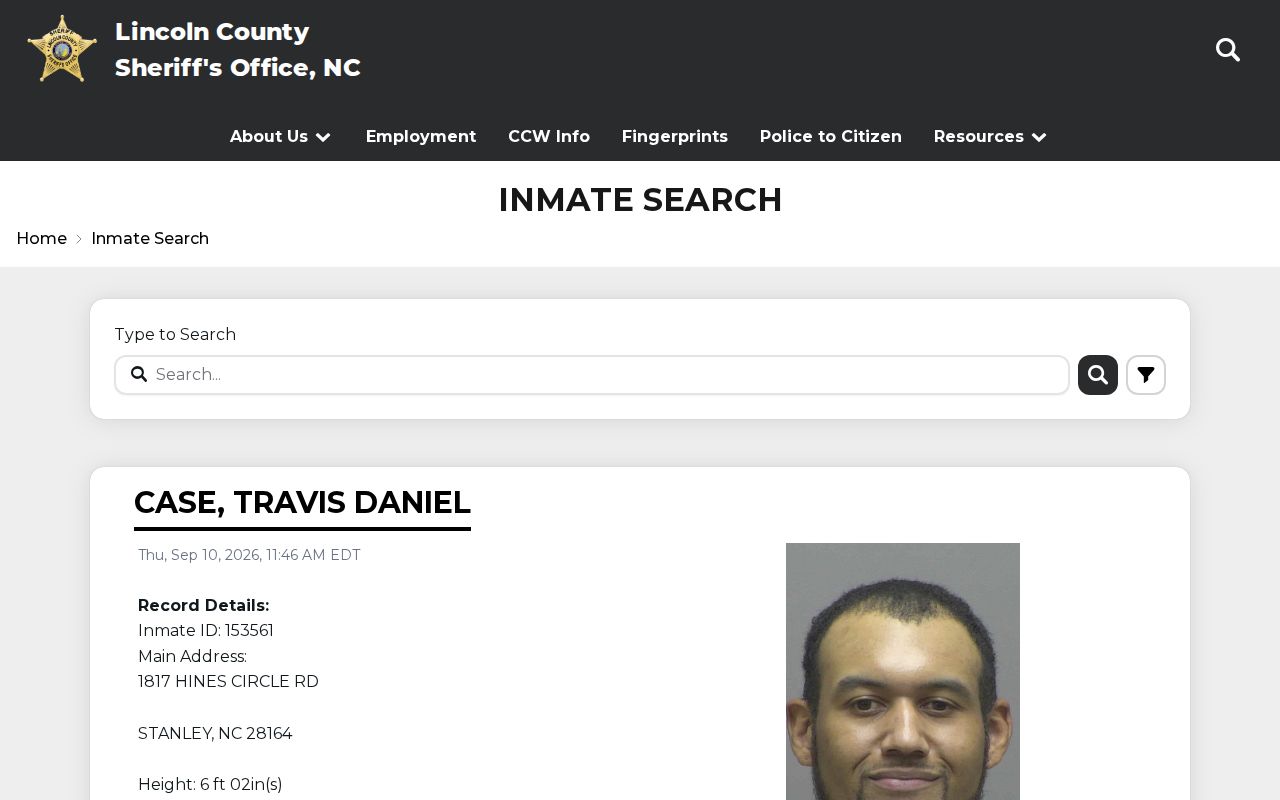
The official search surface appears here. Read its status and booking details as a time-sensitive snapshot.
Why a Fresh Lincoln County Arrest Can Lag
A roadside arrest and a public web entry are not simultaneous, and plenty happens first. The person may be transported, identified, searched, photographed when authorized, fingerprinted, medically screened, and entered into detention software. Charge and bond data can travel a separate workflow. The roster then syncs with the OCV and VINE vendor system. P2C publishes the event through its own interface.
No service promise puts a minute count on this. Nothing official backs a fixed local delay. Overnight, weekend, and holiday processing can involve different staffing or court timing. So a missing same-day entry calls for patience. Wait, recheck, and contact the Sheriff whenever a prompt custody answer matters.
Note: A blank date query means only that P2C returned no AR entries for that selected date and search.
Confirming a Lincoln County Booking
The Daily Bulletin answers most questions. When it does not, a short fallback chain works. Start with the current roster, since that answers who is in custody right now. Still unsure? Call the Lincoln County Sheriff's Office at 704-732-9050. Ask which unit confirms public custody information. The office sits at 700 John Howell Memorial Drive in Lincolnton.
Paper copies follow a different path. Lincoln County NextRequest takes requests for booking records, arrest records, and identification photographs. Include the full name as booked. Add the booking ID, the booking date, the exact record sought, and a useful date range. The county will not build a new compilation that never existed. Its policy allows ten business days to produce the record, report that none exists, explain a denial or redaction, or estimate more time.
This route covers records only. It is not a live dispatch or emergency channel. The sheriff's office posts no dedicated booking-photo request form and promises no photo turnaround. For ongoing release or transfer notice, the VINELink Inmate Check page explains that separate alert function.
Lincoln Arrest Charges and Court Results
A jail card, charge description, bond amount, or booking photo documents a custody event in Lincoln County. It is one snapshot. Bond sets a release condition, not a fine or sentence. Case outcomes live in the court file, covered next.
NC eCourts carries the later case summary once charges move forward. Search by party name with Lincoln County filters. Apply the criminal filter, then confirm the person through dates, case number, and other available details. The Register of Actions lists hearings, orders, and a disposition after entry. The clerk still holds the official court file. A roster card that vanishes proves nothing by itself. Release, dismissal, acquittal, or transfer could each explain it. For a wider view across dates, the Weekly Arrest Log explains the manual date-by-date method and its archive limits instead of repeating this same-day procedure.